



The attachment guide for scooters
Thanks to our various magnetic mounts for scooters, you can attach your smartphone to your mirror in seconds and let your GPS guide you effortlessly.
But, among our 3 mounts, which one should you choose for the best experience?
Mirror
Mirror mount with strap attachment
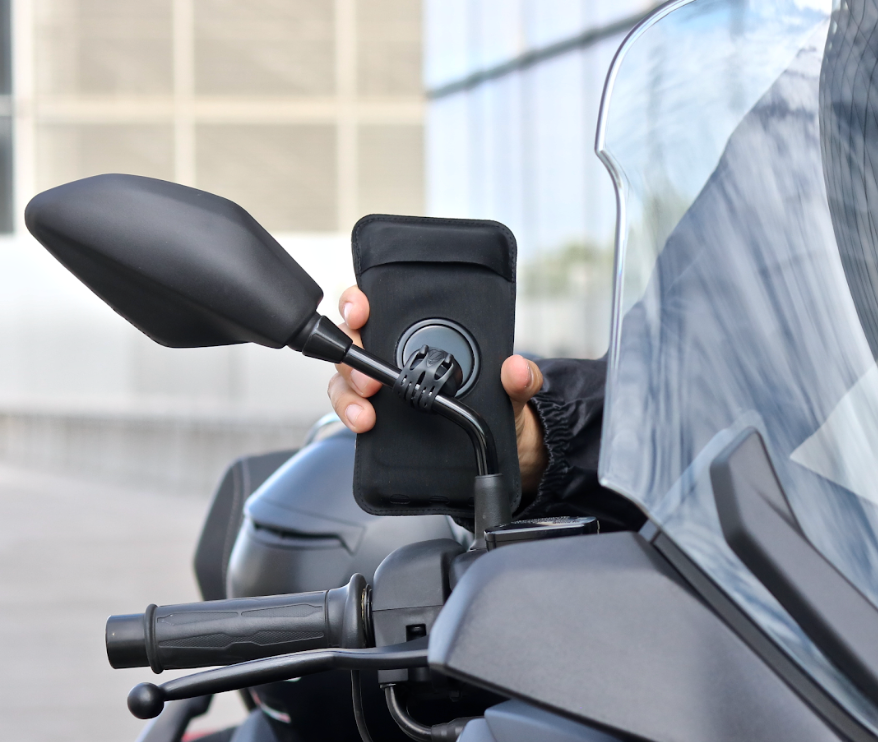
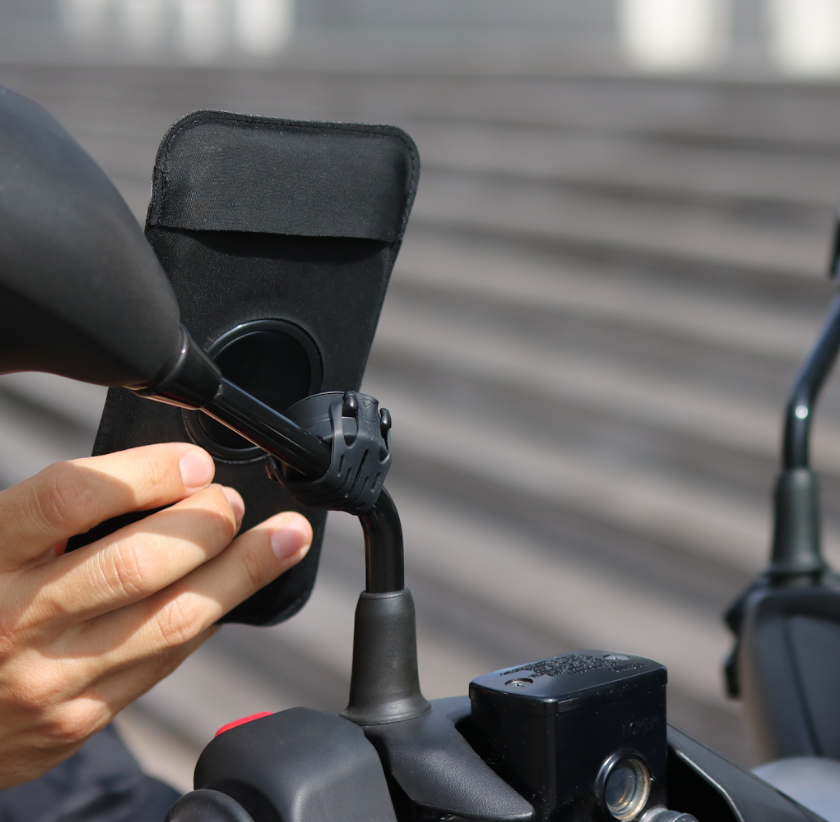
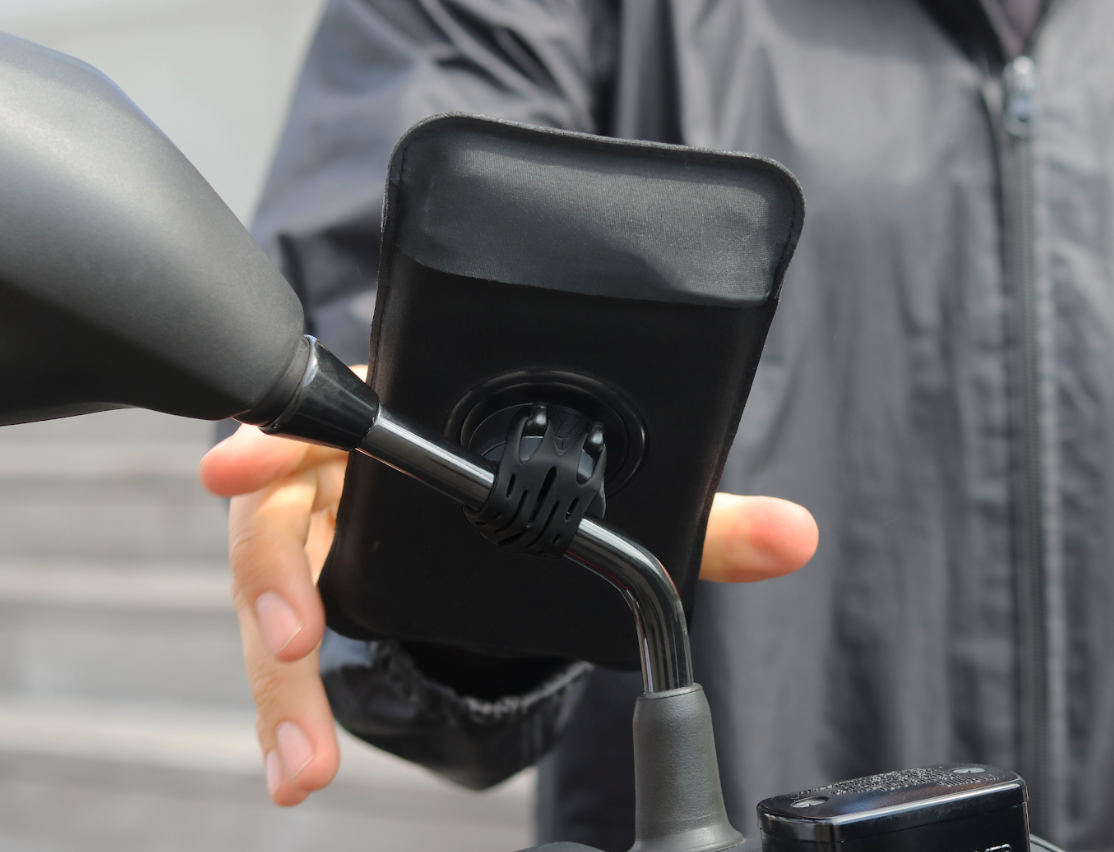
The Shapeheart scooter mount installs in seconds on the vast majority of mirrors thanks to the silicone strap. It ensures optimal hold for your phone regardless of road conditions.

Collapsible content
For which vehicle(s)?
- Scooter
Compatibility
Compatible with the vast majority of motorcycle / scooter mirrors (tubes from 10 to 30 mm in diameter)
Installation
- Position your mount on the mirror tube of your scooter and hook your strap onto the mount.
The strap is made from ultra-resistant silicone with a 2-year guarantee. No risk of scratching your scooter's paint. - Insert your phone into the sleeve, snap it onto the mount (making sure to center it properly), and off you go!
Mirror Pro
Screw-on mirror mount
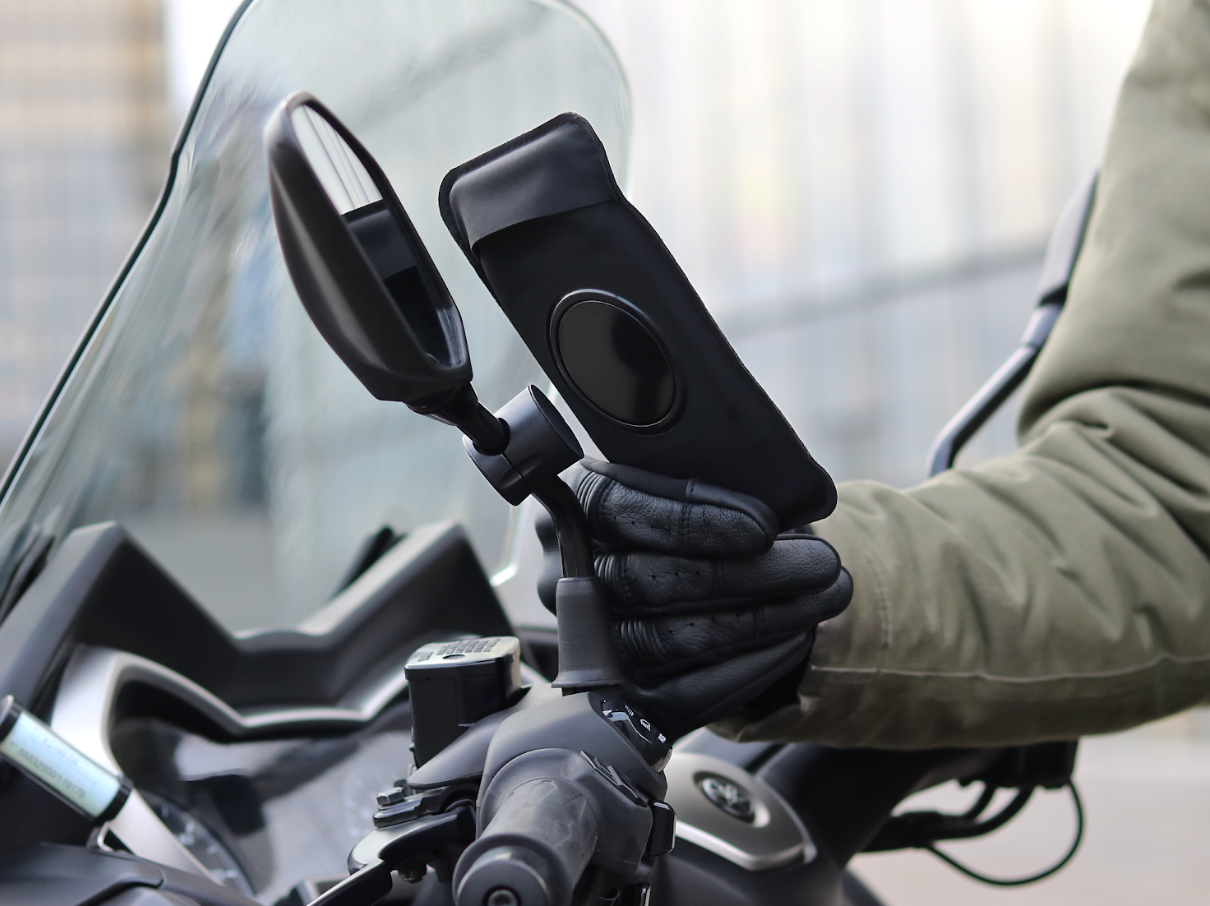
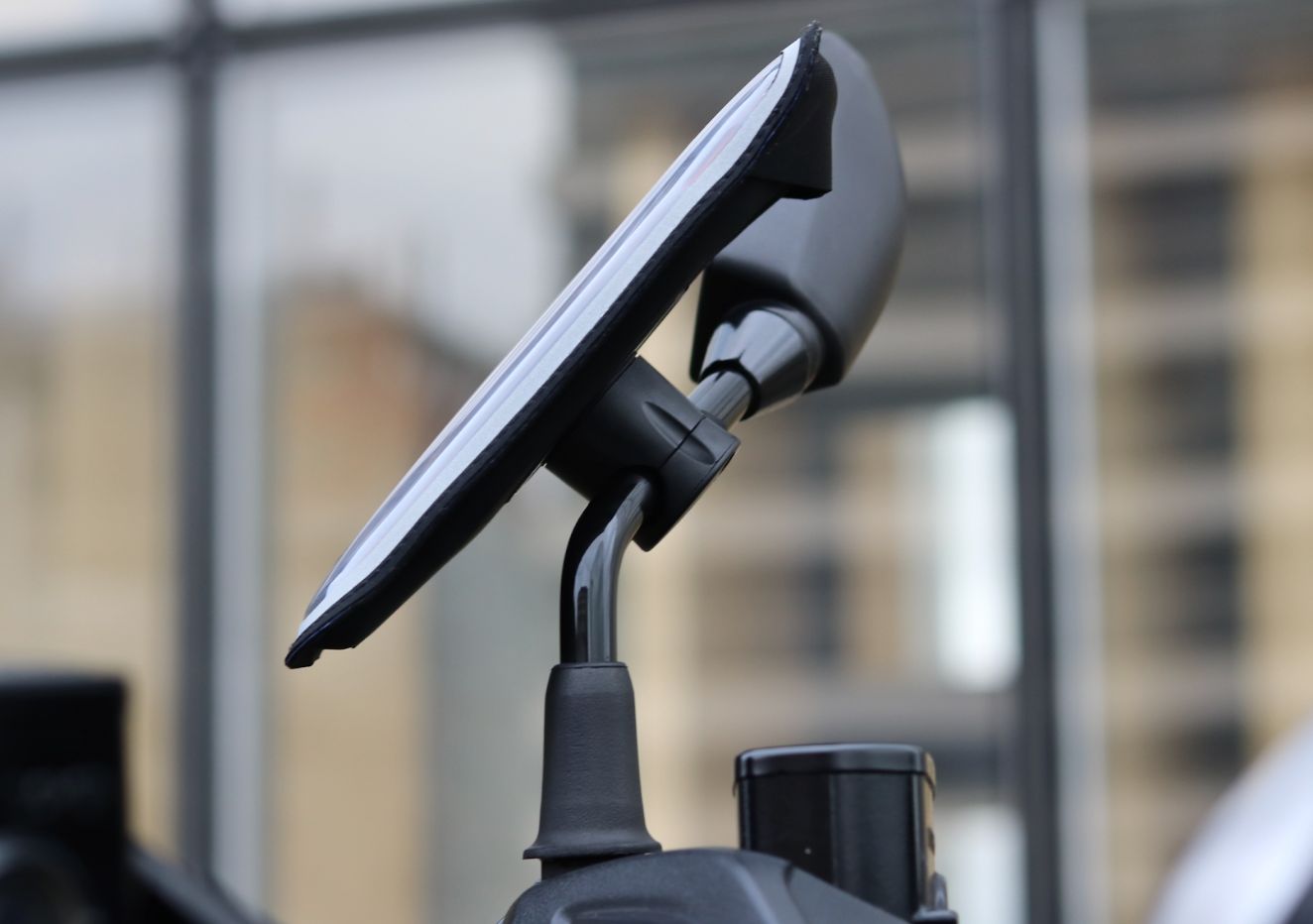
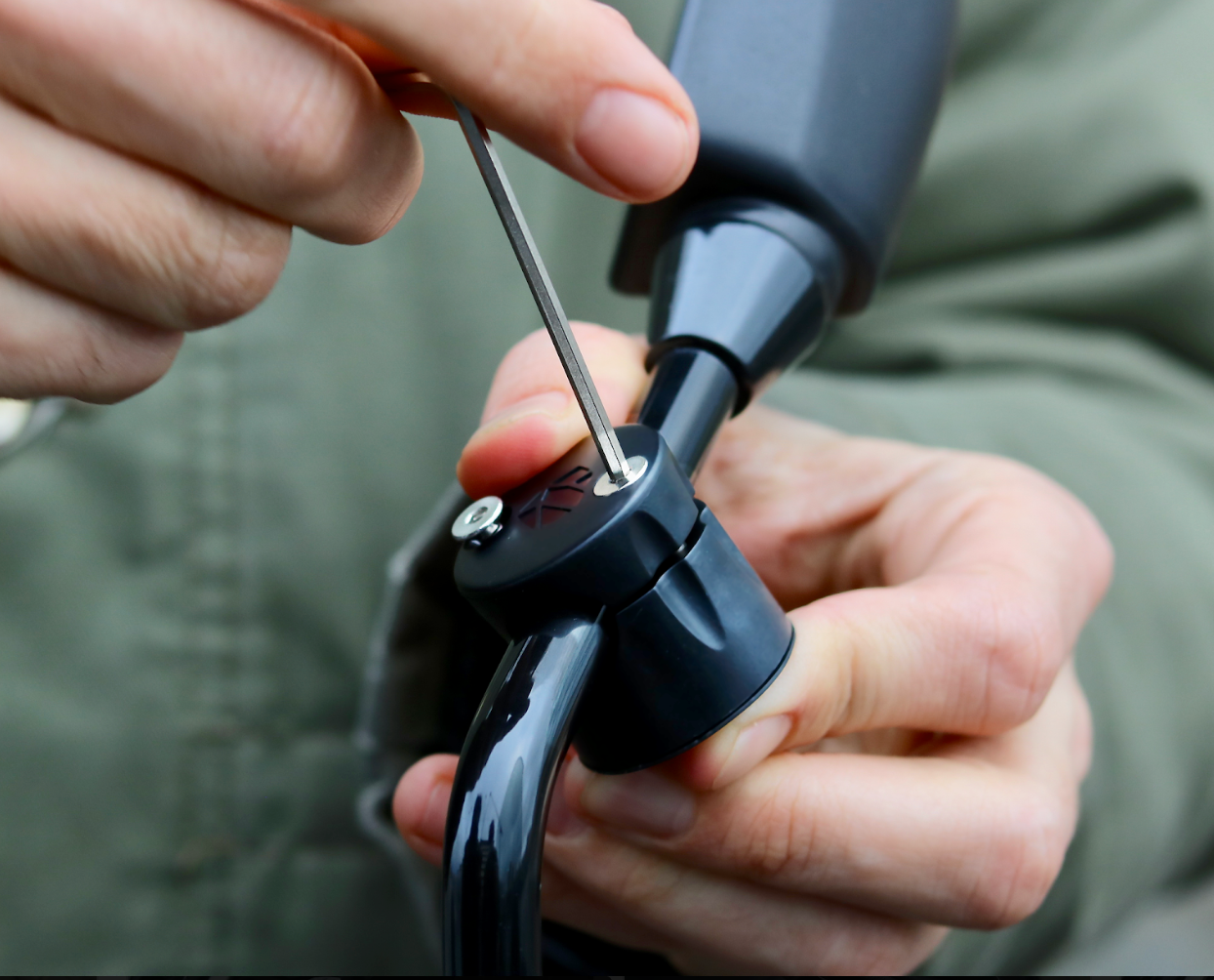
This phone mount for mirrors screws onto scooter or motorcycle mirror tubes between 8 and 17 mm in diameter in just seconds.

Collapsible content
For which vehicle(s)?
- Scooter
- Motorcycle
Compatibility
Compatible with the majority of mirrors (8 to 17 mm in diameter)
Installation
1. Choose the right adapter based on your mirror tube diameter:
- Mirror tube from 15 to 17 mm: no adapter required
- Mirror tube from 11 to 15 mm: 1 mm adapter
- Mirror tube from 8 to 11 mm: 3 mm adapter
2. Using the Allen key, screw the magnetic mount head-down to avoid dropping the screws, then reposition it right-side up.
3. Insert your phone into the sleeve, snap it onto the mount (making sure to center it properly), and off you go!
Scooter Screw
Dashboard mount
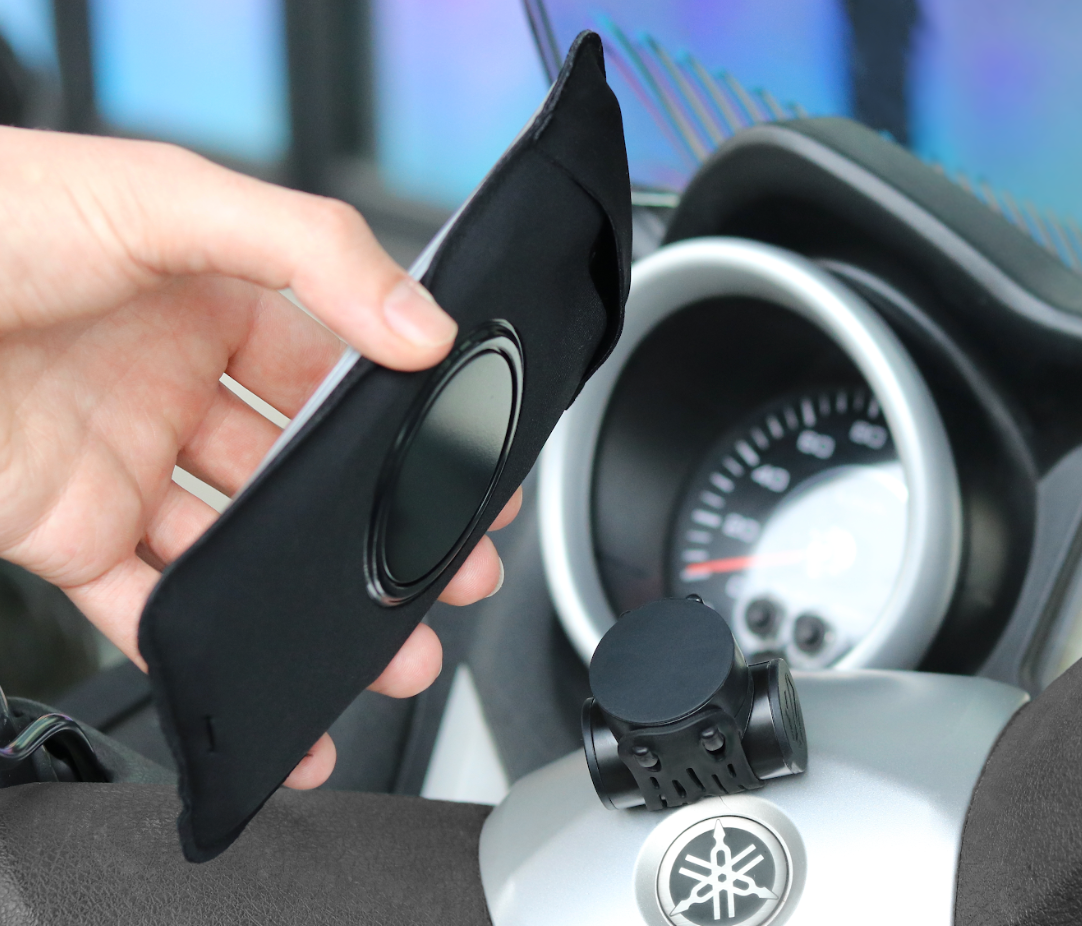
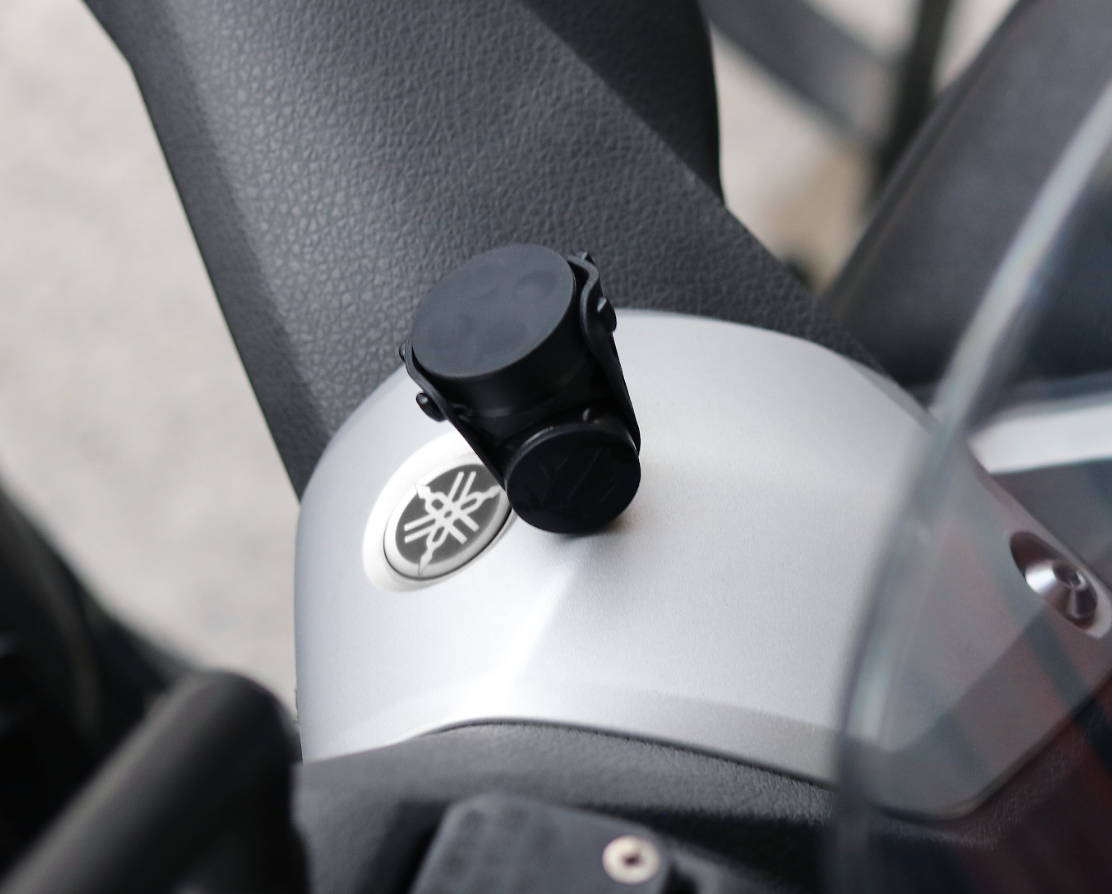
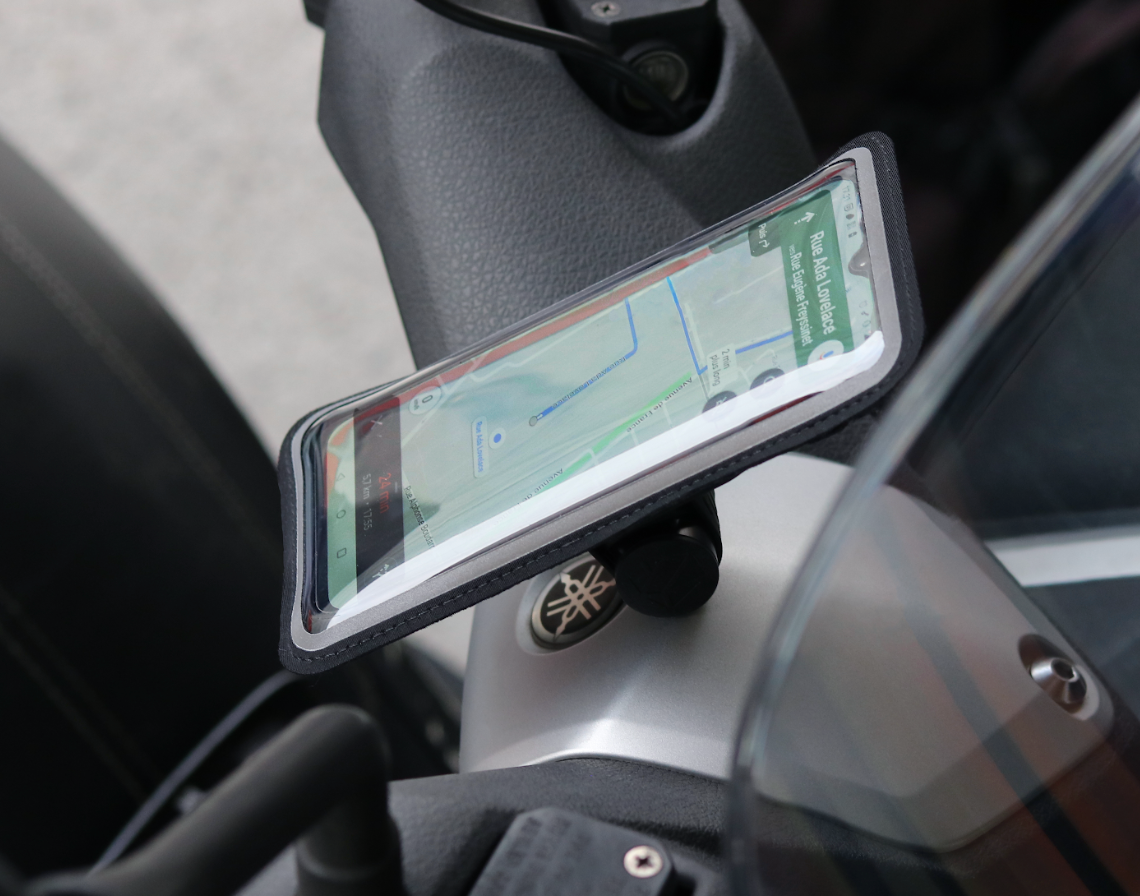
With the scooter dashboard mount, screw the magnetic mount very easily into the plastic of your scooter's dashboard or handlebar.
The installation is permanent and perfect for keeping your GPS right in front of your eyes.

Collapsible content
For which vehicle(s)?
- Scooter
Compatibility
Fits most scooter dashboards and handlebars (4 cm space required to drill and screw in the mount)
Installation
- Remove the plastic part of your scooter that needs to be drilled in order to thread the screw(s) through it.
- Drill the part with 1 or 2 holes (handlebar or dashboard).
- Insert the screw(s) and place the locking washer on the mounting plate side.
Important: place the strap before screwing in the mounting plate. Either between the 2 screws, or through the screw. - Screw in the mounting plate, then attach the mount so that the strap is evenly tensioned.
- Reattach the plastic part of the scooter.
- Insert your phone into the sleeve, snap it onto the mount (making sure to center it properly), and off you go!
Shapeheart guides
-

The Guide to Different Scooter Mounts
With our various magnetic mounts for scooters, you can snap your smartphone in seconds and let your GPS guide you with ease.But, among our 3 mounts, which one should you...
The Guide to Different Scooter Mounts
With our various magnetic mounts for scooters, you can snap your smartphone in seconds and let your GPS guide you with ease.But, among our 3 mounts, which one should you...
-

The guide to the different motorcycle attachments
After more than 4 years of development, we have successfully launched 7 magnetic phone mounts for motorcycles. But, among all these products, which one should you choose for the best...
The guide to the different motorcycle attachments
After more than 4 years of development, we have successfully launched 7 magnetic phone mounts for motorcycles. But, among all these products, which one should you choose for the best...
-

The guide to the different bike attachments
With our different magnetic mounts for bikes (and scooters) you can attach your phone in seconds and let your GPS guide the way.But, among our 3 bike mounts, which one...
The guide to the different bike attachments
With our different magnetic mounts for bikes (and scooters) you can attach your phone in seconds and let your GPS guide the way.But, among our 3 bike mounts, which one...


